
What to Automate First, and What to Leave Alone
Most of it fails before a single tool is chosen
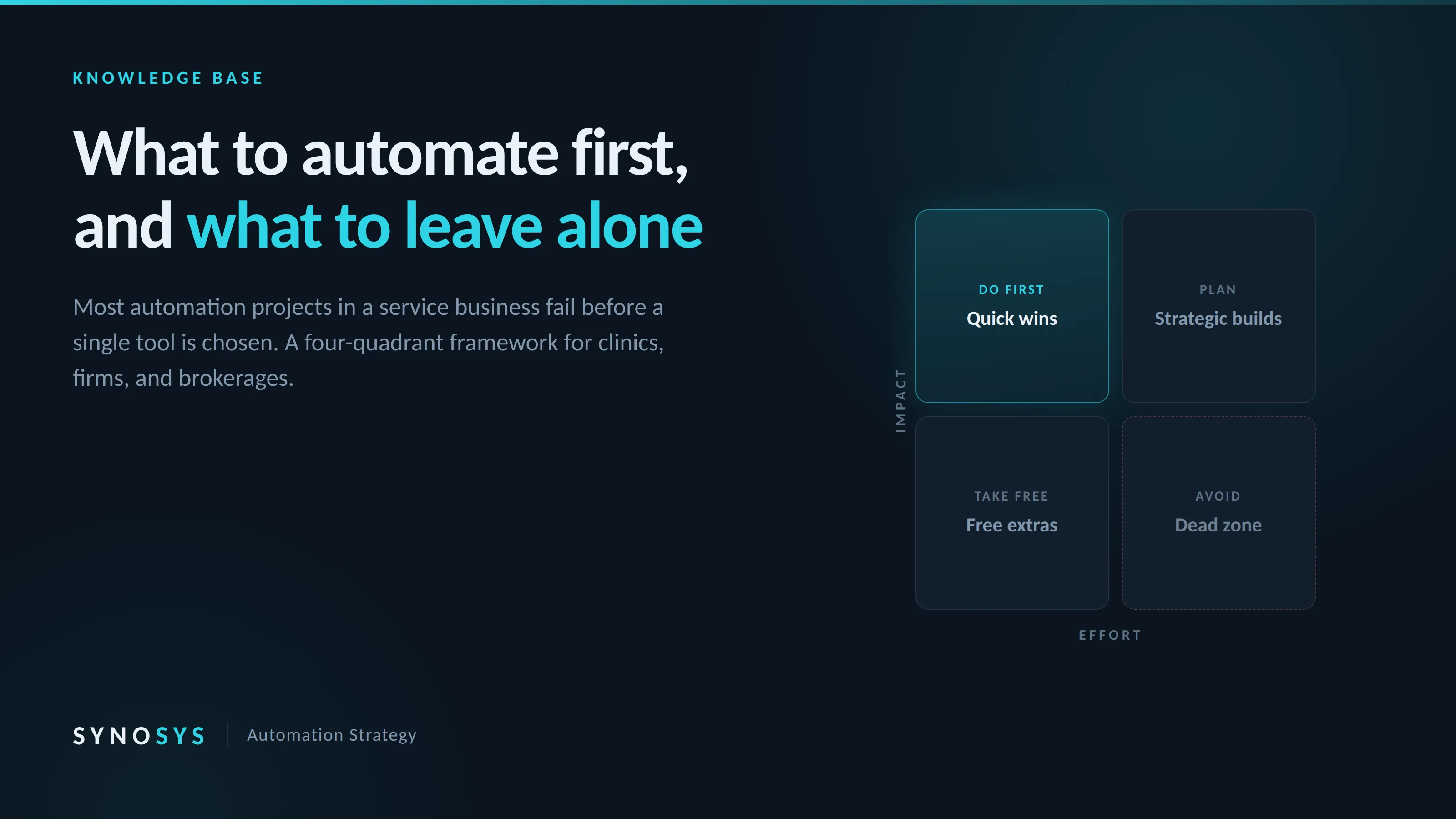
We get called into a lot of businesses that have already tried this once. There is usually a half-configured tool somewhere, a subscription nobody cancelled, and a front desk that went back to the old way within three weeks. The owner assumes they picked the wrong software.
They almost never did. The tools available today are good enough for nearly everything a clinic, firm, or brokerage needs. What went wrong was the order of operations. They started by picking software. They never started by naming the task.
The three failure modes
Buying the tool before naming the task
Someone sees a demo at a conference or in a feed, and it looks incredible. They sign up that week. Two months later it is a line item nobody can defend. The tool was never the problem. It was bought to solve a feeling, not a task, and feelings do not have success criteria.
Replacing the whole front desk at once
Enthusiasm turns into a rebuild. Instead of fixing the one thing that leaks revenue, the owner tries to automate intake, scheduling, follow-up, and reminders in the same month. Something breaks in week two and nobody can tell which change caused it, because nine things changed at once. Now the business has a debugging problem on top of the original problem, and staff have lost confidence in all of it.
Building something the staff will not use
This is the one that kills the most projects, and it is almost never discussed in the sales process. An owner or a technical person builds something that works beautifully in their hands. The receptionist finds it slower than the old way, quietly stops using it, and never says so. The system is live, paid for, and doing nothing.
Each mistake has a filter, and each filter is a question worth answering before any money moves. Answer them honestly and most candidates disqualify themselves in under a minute.
Three questions before you commit
What exactly stops happening if this works?
Finish the sentence: "nobody has to ___ anymore." If you cannot finish it with something concrete, you do not have a project yet. "Improves our intake" is not a task. "Nobody has to listen back through voicemails to find callback numbers" is a task.
What does this recover in a week, in hours or in booked revenue?
Put a number on it. Setup costs time, training costs time, and maintenance costs time forever. If the honest weekly recovery is twenty minutes, the work will never repay its own installation and everyone will resent it by month two.
Can the newest person at the desk run it after a two minute explanation?
Not the owner. Not the person who built it. The newest person, on a busy Monday, with a patient or client standing in front of them. If the answer is no, adoption is already dead and you have not noticed yet.
The filter: impact versus effort
Every automation candidate sits somewhere on two axes. Impact is what the change actually does for the business once it is running and staff are using it. Effort is what it costs to get to that point, including the configuration you will redo twice, the training, and the edge cases nobody thought of.
Plot them against each other and you get four zones. Knowing which zone you are standing in is most of the decision, and once the habit forms it takes about ten seconds.
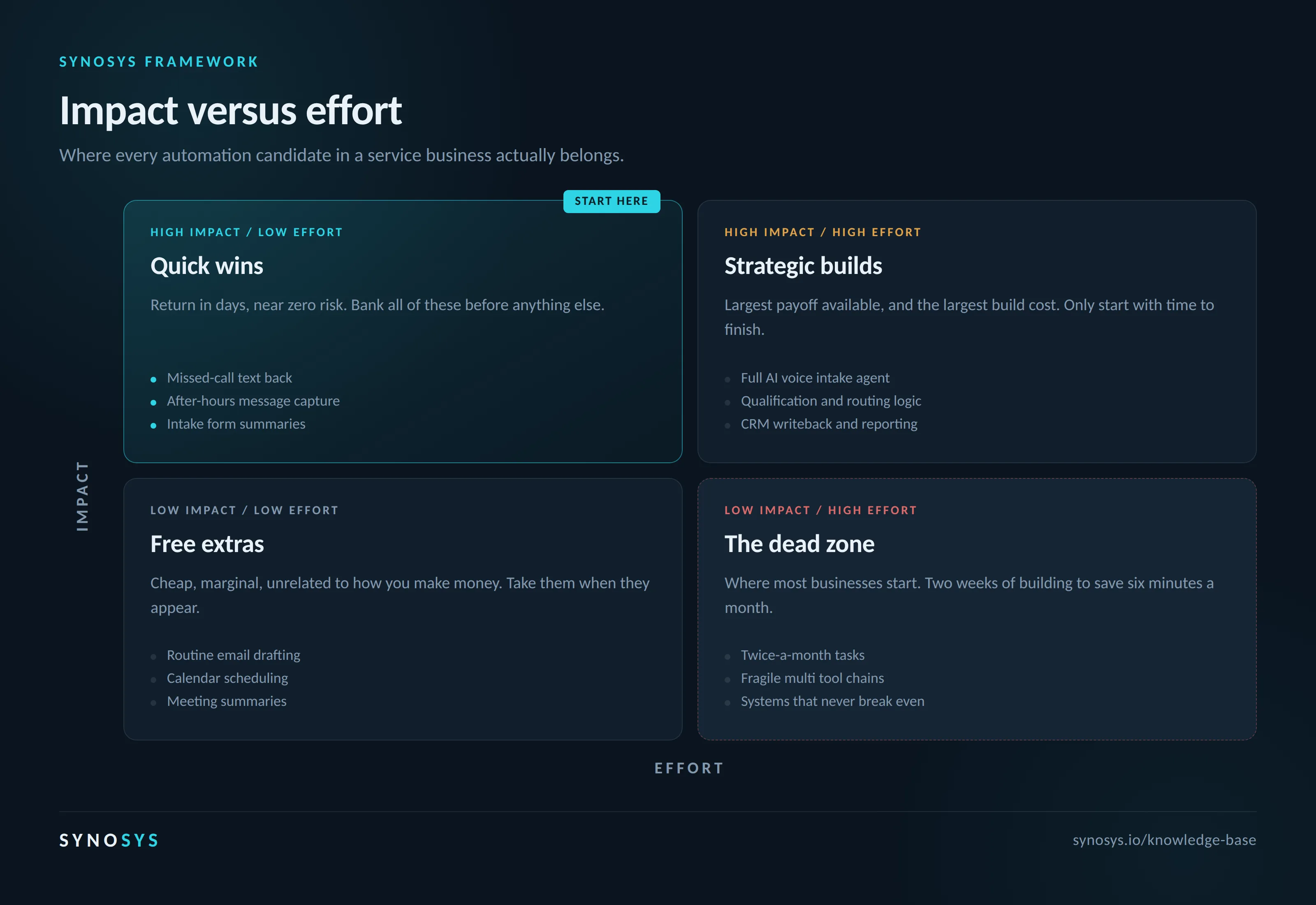
Quick wins: high impact, low effort
Start here. Always. The return arrives in days and the risk is close to zero. In a clinic or a firm this usually means missed-call text back, after-hours message capture, turning voicemails into structured notes in the CRM, drafting appointment reminders, and summarizing intake forms so the practitioner is not reading a wall of text between appointments.
None of these change how the business operates. They remove work that was never worth a human doing. Owners tend to skip this zone because it feels unambitious, which is exactly backwards. Six of these compounding across a week is a recovered day of front desk capacity, and the staff notice immediately, which is what buys you permission to attempt anything harder.
Strategic builds: high impact, high effort
Worth doing once the quick wins are banked and staff trust the direction. This is the real work: a voice agent that handles after-hours intake end to end, qualification and routing logic that decides which inquiries reach which person, feedback loops that flag where leads are dropping, and proper writeback into whatever system of record the business already runs on.
The payoff here is the largest available. So is the build cost, and it is usually underestimated by half. Only start when there is time to finish, because a half-built system in this zone is worse than none at all. You end up maintaining something that has not begun earning, and the maintenance is real even when the return is still theoretical.
Free extras: low impact, low effort
Cheap, marginally useful, and mostly unrelated to how the business makes money. Calendar scheduling. Meeting notes. Drafting routine emails. Turning a voice memo into a task list.
Nothing here transforms anything and nothing here is worth planning around. But it costs almost nothing, so take it when it appears in front of you and spend zero additional minutes optimizing it.
The dead zone: low impact, high effort
Here is the uncomfortable part. This is where most businesses start.
The trap is trying to automate everything, including the easy things. An office manager spends two weeks building a system to handle a task she does twice a month in six minutes. The math never recovers. That automation needs a decade to break even, and it will not survive a decade, because at least three of the tools it depends on will change or disappear first.
What the numbers actually say
The ceiling is enormous. McKinsey Global Institute estimates that generative AI could produce the equivalent of $2.6 trillion to $4.4 trillion in global corporate profits annually across the 63 use cases it analyzed, a 15 to 40 percent increase in the productivity value of AI and analytics compared to earlier generations of the technology.
The floor is where it gets uncomfortable. RAND Corporation found that roughly 80 percent of AI projects fail, about double the failure rate of comparable non-AI technology projects. The leading cause was not model quality or infrastructure. It was a breakdown in shared understanding between the people asking for the project and the people building it about what the project was actually for.
Read those together and the picture is clear enough. The value is real, and most organizations never reach it, not because the technology underdelivers but because nobody defined what it was supposed to do. That is the same failure we see in a four-person clinic, restated at enterprise scale. A tool without a named task is a project without a finish line, and projects without finish lines get quietly abandoned.
What actually works
Build templates for anything repeated
Templates help the humans directly, and they give AI a concrete reference for how this business works. A model handed your intake template produces something in your shape. A model handed nothing produces something in the shape of the average of the internet, which is the generic output everyone complains about.
Point it at volume, not detail
AI is not always as detail oriented as a good staff member. It is far better at handling volume. Give it three hundred reviews, a year of inbound inquiries, or every call transcript from last quarter, and let it do what it is genuinely superior at: finding patterns, surfacing the most common complaint, categorizing by type, and summarizing what it found. No human is doing that work at that speed, so it is pure addition rather than replacement.
Use it to prototype, not to finish
The fastest thing AI does is take an idea to something you can look at and react to. It will not be flawless, which is exactly why prototyping suits it. A prototype is not supposed to be perfect. Its job is to test whether an idea is feasible and whether it is any good. Speed matters more than polish at that stage, and speed is what you get.
Write prompts once, reuse them forever
Treat prompts as templates for the model. They will not produce identical output every time, but they reliably put the model in the right space. Most people rewrite the same prompt from scratch every session, which is a chore they have chosen to keep. A saved prompt that works is an asset.
The five part structure of a prompt that works
This is the part most operators skip, and it is the cheapest quality improvement available. Almost every disappointing AI output traces back to a prompt missing two of these five parts.
Identity
Tell the model who it is. "You are a medical office assistant at a family practice in Ontario" sets vocabulary, assumptions, and default level of detail before anything else lands. Skip this and you get the internet's average voice.
Task
State the job it needs to do or the question it needs to answer. One clear objective. Four objectives stacked into one prompt produces four mediocre answers.
Context
Give it the surrounding information a competent new hire would need on day one. Who the work is for, what came before, what already exists, what the business actually does.
Constraints
Say what it must not do. Length limits, tone rules, topics to avoid, formats that are off the table, information it must never guess at. Constraints do more work than instructions, and in a regulated field they are the difference between usable and unusable.
Output format
Specify exactly how the answer should be structured. This is the highest leverage line in most prompts and the one people leave out most often.
Follow that structure and you will write a decent prompt every time. Once a few are working, consider a system prompt. A system prompt is just a prompt with one difference: it is given to the model before anything typed into the chat box, so it shapes everything that follows. That makes it the most leveraged text anyone in the business will write, and the one worth revising more than once.
Optimization you cannot measure is a feeling, and feelings about your own operation are famously unreliable. Five signals worth tracking, none of which need a dashboard.
Five signals
Time on task
Pick three to five things the team does daily. Time them before, and time them after. This is the least glamorous measurement available and the most honest one. A phone timer is sufficient.
Rework and corrections
If quality is genuinely improving, staff should be fixing fewer things downstream. Wrong callback numbers, misrouted inquiries, appointments booked into the wrong column. Rework is expensive in a way that never shows up on an invoice, and it is the clearest quality signal you have.
Staff adoption
This is the metric that decides every other one. A workflow nobody uses is worth nothing regardless of how well it was built. If adoption is low, the problem is almost never the staff. It is the two minute explanation that could not be given.
Client or patient experience
Run a short survey before and the same one after. Compare directly. People notice changes in response time and consistency well before they can articulate why, so ask about the experience rather than the process.
Owner and staff stress
With less tedious manual work, this should drop. If the automation is not reducing pressure, or is actively adding to it, that is a signal worth taking seriously rather than pushing through.
If you want to start this week
Days 1 to 3: Write the list
Have the front desk log every repeated task for three working days. No evaluation yet, just what actually happens and roughly how long it takes. Most owners are surprised by what shows up, and by what does not.
Days 4 to 5: Sort it
Put every item on the impact versus effort grid. Be ruthless about the effort estimate and double whatever number came to mind first.
Week 2: Take three quick wins
Pick three items from the high impact, low effort zone. Only three. Build the templates or prompts. Time the tasks before and after.
Week 3: Make one thing teachable
Take the best win and write the two minute explanation. If it cannot be written, simplify the workflow until it can. This is the step that turns a personal trick into something the business owns.
Week 4: Keep, cut, or expand
Check the recovered time against the threshold you set in question two. Keep what cleared it. Cut what did not, without sentiment. Only then look at anything in the strategic build zone.
The short version
Do not start with the software. Start with the tasks. Name the exact thing that should stop happening. Put a number on what it recovers. Make sure the newest person at the desk can run it. Then take the quick wins first and leave the ambitious build until the easy ground is fully covered.
The upside everyone quotes is not sitting inside the tools. It is sitting with the small number of operators who bothered to ask what they were actually trying to fix.
Not sure which tasks are worth automating?
We map where the time is going in your business before recommending a single tool, then build only the parts that clear the threshold.
Book a free auditSources
Vicki Larson, AI Workflow Optimization: 7 Game-Changing Tips That Actually Work, Medium, November 2025
McKinsey Global Institute, The economic potential of generative AI: The next productivity frontier, 2023
RAND Corporation, research on AI project failure rates, 2024